



Key takeaways
- Technical SEO makes a site easy for search engines and AI assistants to crawl, render, index and understand.
- Core Web Vitals are now LCP, INP and CLS; INP replaced First Input Delay in March 2024.
- Most technical problems are silent, so audit indexing, crawl access, speed, duplicates and broken links on a schedule.
- AI search crawlers need robots.txt access and key content in the HTML, because many of them do not run JavaScript.
- Search Console is the free starting point for finding indexing, crawl and enhancement errors.
What Is Technical SEO?
Technical SEO is the work that makes a website easy for search engines and AI assistants to crawl, render, index and understand. It covers site speed and Core Web Vitals, mobile rendering, HTTPS, XML sitemaps, robots.txt, redirects, canonical tags, structured data and internal linking. Content and backlinks decide what a page deserves to rank for; technical SEO decides whether the page can be found and read at all.
Unlike keyword research or social media marketing, technical SEO happens mostly in the code, the server and the CMS settings. When it goes wrong the symptoms are usually silent: pages missing from the index, duplicate URLs competing with each other, slow templates or important text that only appears after JavaScript runs.
Getting it right improves crawl efficiency, user experience and, in turn, website traffic. This guide walks through the benefits, the common issues, a practical checklist and how to audit a site step by step.
What Are the Benefits of Technical SEO?
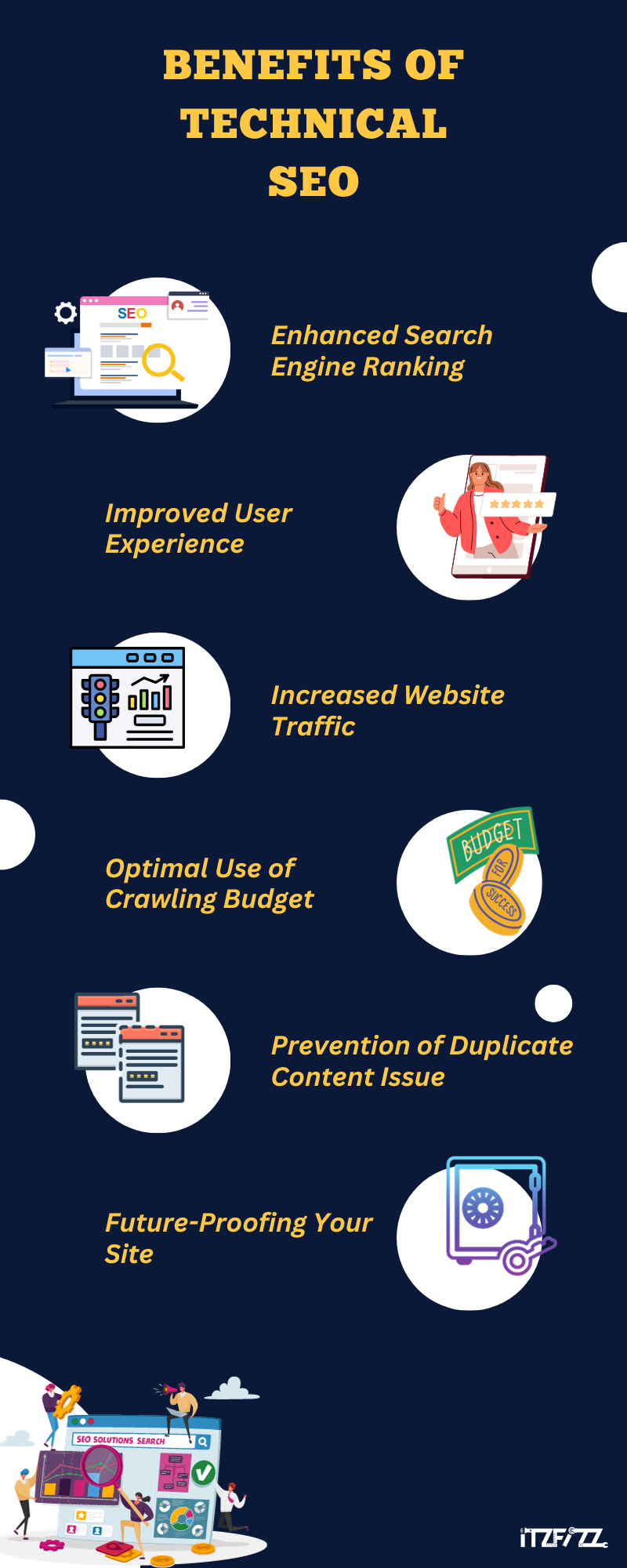
Understanding the benefits of technical SEO is crucial for any website owner or marketer. Here are the main benefits:
- Search Engine Ranking: By optimising technical aspects such as website speed, indexability, and structured data, technical SEO can significantly improve your website’s visibility in search results.
- Improved User Experience: Fast loading times, mobile friendliness, and a secure browsing environment contribute to an exceptional user experience, reducing bounce rates and encouraging longer site visits.
- Increased Website Traffic: Higher rankings in search results usually lead to increased organic traffic, which can be critical for business growth.
- Better use of crawl budget: Search engines allocate a certain ‘crawl budget’ to each website. Technical SEO ensures that search engines efficiently crawl and index the most important pages of your site.
- Avoid Duplicate Content: Technical SEO helps identify and resolve duplicate content, ensuring that every page on your website is unique and contributes to your overall SEO strategy.
- Future-proof your website: Adhering to the technical requirements of search engines ensures that your website is compatible with future algorithm updates and technological advances. By focusing on these aspects, technical SEO not only improves your website and performance in search engines but also improves the overall quality and credibility of your website.
How Do You Optimise Internal Links for Technical SEO?
Optimising internal links is an important part of technical SEO. This involves strategically organising and linking your web pages to improve search engine rankings and the user experience. To optimise your internal links for SEO, do the following:
- Create a logical website structure. Make sure your website has a clear and intuitive hierarchy. This makes it easier for search engines to index your original content and for users to navigate your site.
- Use descriptive anchor text. Anchor texts should be relevant and descriptive and contain your target keywords. This helps search engines understand the context of linked, high-quality content.
- Linking to Important Pages: Prioritise linking to important pages such as product pages, blog posts, or landing pages to drive more traffic to those areas.
- Make sure the link is relevant; relevant links must be connected to the original text. This improves the user experience and can lead to better search engine optimization.
- Update Internal Links Regularly: As your website evolves, regularly review and update your internal links to ensure they are relevant and functional.
By implementing these internal linking best practices, you can significantly improve your website’s SEO, making it discoverable and accessible to both search engines and users.
What Are the Most Common Technical SEO Issues?
Technical SEO issues can significantly affect search results, especially in mobile search environments. A common technical problem is the lack of mobile-friendly websites, which is crucial because search engines prefer mobile websites.
Technical search engine optimisation includes mobile search optimisation, which ensures that your website is responsive and accessible across devices. In addition, things like incorrect permanent redirects can negatively affect click-through rates and reduce the effectiveness of organic searches.
Addressing these technical SEO challenges is essential for holistic SEO that improves both website and search engine performance.
How Can You Improve Technical SEO?

Technical search engine optimization includes a number of strategies designed to improve a website’s functionality and search engine compatibility. Key strategies include:
- Optimising Site Speed: Use tools like Google’s PageSpeed Insights to identify and fix the elements that slow down your site.
- Ensure Mobile Responsiveness: Make your website mobile-friendly to serve the growing number of mobile users and meet search engine standards.
- Deploy SSL Certificates: Protect your website with HTTPS to protect user data and increase credibility with search engines.
- Create a sitemap. Develop an XML sitemap to help search engines index your site more efficiently.
- Fix broken links: Regularly check and fix broken links to maintain a high-quality user experience and facilitate efficient website indexing.
- Use Structured Data: Use structured data to help search engines understand and display your original content as rich snippets.
- Reduce Duplicate Content: Process and remove duplicate content to ensure that every page on your website provides unique value.
- Monitor and Improve Core Web Vitals: Pay attention to Google’s Core Web Vitals as part of your website and user experience metrics by improving Largest Contentful Paint (LCP), Interaction to Next Paint (INP) and Cumulative Layout Shift (CLS). INP replaced First Input Delay as a Core Web Vital in March 2024.
By implementing these strategies, you can significantly improve your website and technical SEO, improving both its search engine rankings and the overall user experience.
Technical SEO Checklist: What to Check and How to Fix It
| Area | How to check | Typical fix |
|---|---|---|
| Indexing | Search Console Pages report and URL Inspection | Remove accidental noindex, fix canonicals, submit the sitemap |
| Crawl access | Read robots.txt and test key URLs | Unblock CSS, JS and important sections; block only true duplicates and admin areas |
| Speed and Core Web Vitals | PageSpeed Insights field data (LCP, INP, CLS) | Compress and size images, cache pages, defer non-critical scripts, reserve space for media |
| Mobile rendering | Lighthouse in Chrome DevTools, URL Inspection screenshot | Responsive layout, readable font sizes, tap targets that do not overlap |
| HTTPS | Load http:// and www variants | One 301 redirect to the final HTTPS URL, no mixed content |
| Duplicate URLs | Crawl the site and compare titles and canonicals | Canonical tags, 301 redirects, consistent internal links |
| Broken links and redirects | Crawl for 4xx errors and redirect chains | Update links to the final URL, remove chains longer than one hop |
| Structured data | Rich Results Test and Search Console enhancements | Fix required properties, mark up only what is visible on the page |
How Do You Find and Fix Broken Links?
Broken links can have a significant impact on your website’s performance, user experience, and SEO. To identify and fix them, do the following:
- Identify broken links: Check your website for broken links using tools like Google Search Console or specialised SEO tools. These tools can detect 404 errors, which indicate that the page is no longer available.
- Fix broken links: Once detected, restore missing pages if accidentally deleted, or update links to point to relevant existing pages.
- Redirect Broken Links: After a page is permanently removed, redirect visitors and search engines to a similar page on your site using 301 redirects.
- Regular Audits: Conduct regular audits of your website to proactively identify and fix broken links.
This helps in maintaining a healthy and user-friendly website. By effectively managing broken links, you can improve your website’s SEO, improve the user experience, and ensure that your website remains an authoritative and trusted resource.
How Do You Run a Technical SEO Audit?
Conducting a technical SEO audit is crucial for identifying and addressing issues that could be hindering your website’s performance. Here’s a guide to performing an effective audit:
- Crawl Your Website: Use Google Search Console together with a crawler such as Screaming Frog, Semrush or Ahrefs to find broken links, redirect chains, slow templates and duplicate content.
- Check Mobile Usability: Google retired its standalone Mobile-Friendly Test in December 2023, so test mobile rendering with Lighthouse in Chrome DevTools and the URL Inspection tool in Search Console.
- Assess Page Speed: Use PageSpeed Insights and look at field data (real users) first, then lab data, to see LCP, INP and CLS for your key templates.
- Evaluate site structure and internal linking: Make sure important pages are reachable within a few clicks and that internal links point to final URLs, not redirects.
- Review security protocols: Check that every URL resolves to HTTPS with a single redirect and no mixed content warnings.
- Identify and Resolve Duplicate Content: Compare titles, canonicals and near-identical pages, then consolidate or canonicalise them.
- Analyse Structured Data and Sitemaps: Validate structured data with the Rich Results Test and confirm your XML sitemap lists only indexable, canonical URLs and is submitted in Search Console.
By systematically addressing each of these areas, you can significantly enhance your website’s technical SEO and improve its overall ranking and performance.
How Do You Resolve Duplicate Content Issues?
Duplicate content can negatively impact the SEO performance of your website. Here’s how to understand and resolve these issues:
- Identify Duplicate Content: Use SEO tools like SEMrush or Ahrefs to find duplicate content within your website. This includes identical or near-identical content across different pages.
- Implement Canonical Tags: Use canonical tags to indicate to search engines which version of a duplicated page is the primary or “canonical” one. This helps in avoiding penalties for duplicate content.
- Restructure Your Website: If necessary, reorganise your website’s structure to eliminate redundant pages and consolidate similar content.
- Regularly Monitor for Duplication: Continuously monitor your site for new instances of duplicate content, especially if you frequently add new pages or posts.
By effectively managing duplicate content, you can enhance the uniqueness and authority of your website, thereby improving its SEO performance.
How Do You Use Google Search Console for Technical SEO?
The Google Search Console (GSC) is a vital tool for managing your website’s presence in Google search results. Here’s how to set it up and use it effectively for technical SEO:
- Setting up Google Search Console: Sign up for GSC using your Google account. Add and verify your website by following the instructions provided by Google.
- Submitting Sitemaps: Submit your XML sitemap through GSC. This makes it easier for Google to find and index the pages on your website.
- Monitoring Website Performance: Regularly check GSC for insights on how your site performs in search results, including impressions, clicks, and rankings for different keywords.
- Identifying and Fixing Crawl Errors: Use GSC to identify crawl errors like 404s and correct them to improve your website’s SEO.
- Analysing Search Queries: Analyse the queries driving traffic to your site and adjust your amazing content strategy accordingly to capture more relevant traffic.
By leveraging GSC, you can gain valuable insights into your website’s search performance and identify areas for improvement in your technical SEO strategy.
Does Technical SEO Matter for AI Search?
Yes. ChatGPT search, Perplexity, Copilot and Google AI Overviews can only cite pages their crawlers can reach and read, so the same technical basics apply, with two extra checks.
- Allow the AI search crawlers you want to appear in. Check robots.txt for user agents such as OAI-SearchBot (ChatGPT search), PerplexityBot and Bingbot, which also feeds Microsoft Copilot. Blocking a training crawler such as GPTBot is a separate decision from blocking a search crawler.
- Put important content in the HTML. Analysis of AI crawler traffic by Vercel found that major AI crawlers fetch JavaScript files but do not execute them, so text that only appears after client-side rendering may be invisible to them. Server-side rendering or static HTML for key content avoids that risk.
Clear structure helps too: descriptive headings, short direct answers under each heading, and structured data that matches the visible content make a page easier to extract and quote.
Conclusion
Finally, mastering Technical SEO is the key to activating the potential of your website in the ever-changing digital landscape. From optimising site speed to ensuring mobile friendliness, each technical aspect contributes to the health and visibility of your site in search engines.
As we conclude, keep in mind that Technical SEO is an ongoing process. Stay current, stay adaptable, and let your technical skills drive your digital success.
Use our experience to improve your performance online! Itzfizz Digital, named a top SEO agency by Rankwatch in 2023, is your secret to maximising visibility and remaining competitive in the digital sphere.
You can rely on us for mobile-friendly designs, smooth permanent redirect solutions, and technical fixes that remove what is holding your pages back in search.