



A Google crawler is an automated program, best known as Googlebot, that finds web pages by following links and reading sitemaps, then fetches them so Google can index them for search. If Googlebot cannot reach or render a page, that page cannot rank. Most crawling now happens with the smartphone version of Googlebot, so your mobile site is the version Google mainly sees.
Key takeaways
- Googlebot is Google's main crawler: it finds pages through links and sitemaps and fetches them for indexing.
- Since mobile-first indexing, most Googlebot crawl requests come from the smartphone crawler.
- robots.txt controls crawling, while a noindex tag controls indexing.
- Search Console's Page indexing report and URL Inspection tool show how Google crawls and indexes your pages.
- A recrawl request is not instant: Google says crawling can take from a few days to a few weeks.
- Google-Extended controls Gemini training use and does not affect Google Search rankings.
What Is a Web Crawler?
How do search engines such as Google locate, comprehend, and arrange the billions of web pages that connect to the internet through an intricate network of links? Web crawlers, the unnoticed heroes of digital marketing, hold the key to the solution.
Web crawlers, also referred to as spiders or bots, are the fundamental components of search engine algorithms. These are computer programmes that are programmed to automatically search the Internet methodically with the intention of indexing.
A list of websites from previous crawls and sitemaps from website owners are the first things that crawlers access. They begin a never-ending crawling cycle as they visit these URLs and use the links on these pages to find new pages.
In addition to being a technical procedure, web crawling serves as the basis for search engine indexing and, consequently, search engine optimisation (SEO). Crawlers assist search engines in ascertaining the purpose of each page and its proper ranking for certain search queries by comprehending and evaluating the content of web pages.
The effectiveness and comprehensiveness of a web crawler have a direct effect on how visible a website is online. A page may as well not exist at all for search engine consumers if a crawler is unable to reach or grasp it. Because of this, web crawler behaviour and design are extremely significant to both website owners and SEO specialists.
Furthermore, web crawling is essential to the internet’s dynamic nature. It is an ongoing process to update websites by adding new pages and removing outdated ones. To guarantee that search results represent the most recent version of the web, crawlers notify search engines about these changes.
Google Crawler, often known as Googlebot, is an essential component of Google’s information organisation and presentation system. Google explains the full journey from crawling to indexing and serving results in its guide to how Google Search works. Whether a page succeeds in search depends first on whether Googlebot can reach and understand it.
How Does the Google Crawler Work?
Understanding the intricacies of how Google crawlers navigate and index the web is essential for anyone looking to optimise their website for search engines. The process, while complex, can be broken down into several key stages that highlight the crawler’s capabilities and limitations.
Google’s crawling process begins with a list of web page URLs generated from previous crawl processes and augmented by sitemap data provided by webmasters. As Googlebot visits these URLs, it detects links on each page and adds them to the list of pages to crawl. New sites, changes to existing sites, and dead links are noted and used to update Google’s search index.
- Discovery: Googlebot discovers pages by following links from known pages and reading sitemaps. If your site is new, getting links from well-indexed sites can speed up the discovery process.
- Crawling: Googlebot analyses the content of the page, understanding and cataloguing it based on keywords, content type, and other signals. Webmasters must ensure that Google bots can access and render their content correctly.
- Indexing: Once a page is crawled, its content is processed and indexed. Google analyses the content, images, and video files on the page, storing this information in its vast database. Pages with a noindex tag are kept out of the index, and pages blocked in robots.txt are not crawled at all, so Google cannot read their content.
Mobile-First Indexing: Advantages and Impact on Website Rankings
In recent years, Google has transitioned to mobile-first indexing, reflecting the shift in user behaviour towards mobile devices. This indicates that Google indexes and ranks material mostly using its mobile version. There are significant effects of this change:
Mobile Optimisation: Websites must be optimised for mobile devices, ensuring fast loading times, responsive design, and mobile-friendly navigation. The performance of your site on mobile directly influences its search rankings.
Content Consistency: The content on mobile and desktop versions of your site should be consistent. Any disparity can affect how Googlebot indexes your pages, potentially leading to lower rankings.
User Experience: Google places a high emphasis on the user experience, particularly for mobile users. Sites that offer a superior mobile experience are likely to rank higher in search results.
Mobile-first indexing underscores the importance of adopting a mobile-centric approach to SEO. Websites that prioritise mobile usability and content accessibility are better positioned to rank well in Google’s search results.
Factors Affecting Google Crawler Access and Behaviour
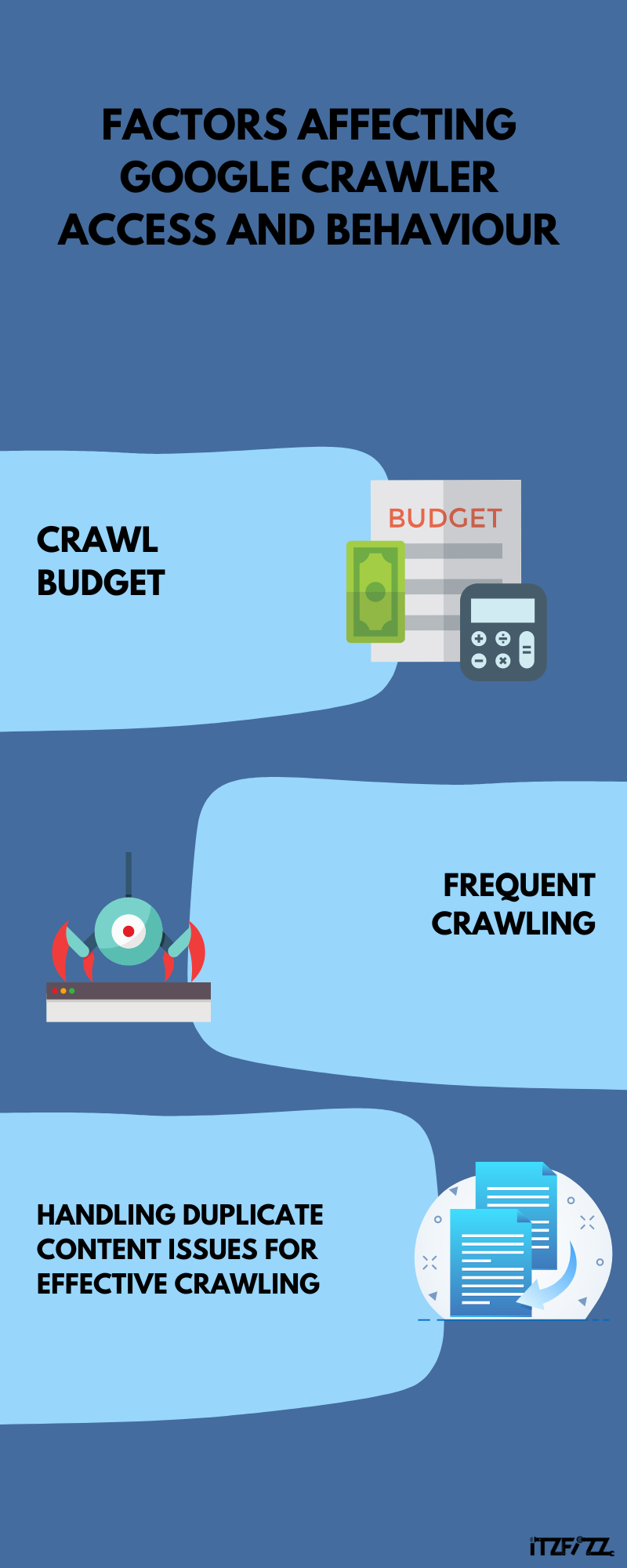
- Crawl Budget: Exploring Its Relevance and Implications for Websites
- Site Speed: Faster sites encourage more frequent crawling, as Googlebot can navigate through more pages in less time.
- Site Errors: High levels of 404 errors or server errors can reduce crawl efficiency, leading Googlebot to crawl fewer pages.
- Rich Media Content: While engaging, heavy use of video, images, and scripts can slow down crawling if not properly optimised.
- Frequent Crawling: Its Impact on Website Visibility in Search Results
- Handling Duplicate Content Issues for Effective Crawling
- Canonical Tags: Use canonical tags to signal to Google which version of a duplicate page is the primary one.
- 301 Redirects: Redirect duplicate pages to the primary page to consolidate link equity and improve SEO.
- Robots Meta Tag: Use the robots meta tag to prevent Google bots from indexing duplicate content pages.
Using Search Console for Google Crawler Insights
Google Search Console (GSC) is an essential tool for webmasters, SEO professionals, and site owners aiming to maximise their site’s search performance. It offers a direct window into how Google views your site, providing critical data on crawling, indexing, and the overall health of your website.
Here’s how you can use GSC to enhance your site’s SEO and crawl efficiency
- Understanding Crawl Stats in the Google Search Console:
GSC provides detailed reports on how Googlebot interacts with your site through the “Crawl Stats” report. This includes the number of requests made, the amount of data downloaded, and the crawl status of your site. Analysing these stats can help you identify crawl trends, peak crawl times, and potential bottlenecks affecting crawl efficiency.
- Monitoring the Page Indexing Report:
The Page indexing report (formerly called Index Coverage) shows how many of your URLs Google has crawled and indexed, and gives a reason for each URL that is not indexed, such as a noindex tag, a redirect or a page that was crawled but not indexed. Addressing these issues promptly can improve your site’s indexing and, by extension, its ranking in search results.
- Utilising the URL Inspection Tool:
The URL Inspection tool in GSC allows you to check the indexing status and visibility of individual URLs on your site. It provides information on whether a URL is on Google, the last crawl date, the canonical URL, and any issues detected during crawling. This tool is particularly useful for diagnosing problems with new or updated pages, ensuring they are correctly indexed.
- Enhancing mobile usability:
With mobile-first indexing, your site’s mobile usability matters more than ever. Google retired the Mobile Usability report in December 2023, so check mobile issues such as tap targets that sit too close together or content wider than the screen with Lighthouse in Chrome instead. Addressing these issues can significantly improve the user experience and contribute to better search rankings.
- Managing Sitemaps and Submitting New Content:
Sitemaps are crucial for helping Google discover and crawl your site’s content. GSC allows you to submit sitemaps directly, making it easier for Google to find and index your pages. Additionally, you can use GSC to notify Google of new or updated content, ensuring faster crawling and indexing.
Google Crawler Checklist: How to Get Pages Crawled
You cannot force Googlebot to visit, but you can make every important page easy to find, fetch and understand. Work through this checklist whenever you publish or update a key page:
- Submit an XML sitemap in Search Console and keep it limited to pages you want indexed.
- Request a recrawl for key URLs with the URL Inspection tool. Google’s guide to asking Google to recrawl URLs notes that individual requests have a quota and that crawling can take anywhere from a few days to a few weeks.
- Link to new pages internally from related posts and your main navigation, so Googlebot finds them through links it already follows.
- Check robots.txt and noindex tags so you are not blocking pages you want in search.
- Fix server errors and broken links, which waste crawl activity on pages that return nothing useful.
- Make sure key content loads without clicks or logins, especially on JavaScript-heavy pages.
- Verify suspicious “Googlebot” traffic with a reverse DNS lookup before blocking it, because other bots often fake the Googlebot user agent.
AI training is controlled separately. Google lists Google-Extended among its common crawlers and user agents as a robots.txt token for Gemini training and grounding, and states that it does not affect inclusion or ranking in Google Search.
Most of these checks sit within technical SEO. If you run WordPress, our WordPress SEO guide covers sitemaps and indexing settings, and our SEO services team can run a full crawl and indexing audit for you.
What Are the Different Types of Google Crawlers?

Google employs a variety of crawlers, each designed to perform specific tasks related to indexing and understanding the content on the web. These specialised bots ensure that Google’s search results are as accurate and up-to-date as possible, catering to the diverse needs of internet users worldwide. Here’s a closer look at the main crawler types on Google:
- Googlebot (Desktop)
- Purpose: The original crawler, Googlebot Desktop, is designed to index content for desktop users. It crawls and indexes websites from the perspective of a user on a desktop computer.
- Significance: Googlebot Desktop still crawls some pages, but since mobile-first indexing, Google says the majority of Googlebot crawl requests are made with the mobile crawler.
- Googlebot (Mobile)
- Purpose: With the shift towards mobile-first indexing, Googlebot Mobile has become the primary crawler for indexing websites. It simulates a user on a mobile device, ensuring that sites optimised for mobile are appropriately indexed and ranked.
- Significance: This reflects Google’s commitment to prioritising mobile usability, given the increasing prevalence of mobile internet usage. It underscores the importance of having a mobile-friendly website for better search engine visibility.
- Googlebot Image
- Purpose: Specifically designed to crawl and index images found across the web. Googlebot Image ensures that images are appropriately indexed within Google Images, making them searchable for users.
- Significance: Enhances the discoverability of visual content, allowing websites to attract organic traffic through image searches. Optimising images for SEO can significantly impact a site’s visibility and user engagement.
- Googlebot Video
- Purpose: This crawler focuses on indexing video content, making it searchable through Google Video Search. It crawls video content on websites, indexing metadata and other relevant information.
- Significance: As video content becomes increasingly important online, Googlebot Video plays a crucial role in ensuring that videos are discoverable in search results, driving engagement and website traffic to host sites.
- Googlebot News
- Purpose: Tailored for crawling and indexing articles and news stories for inclusion in Google News. It prioritises new and timely content, ensuring that the latest news is quickly accessible to users.
- Significance: critical for news publishers and sites that regularly produce timely content. Optimising for Googlebot News can enhance visibility in Google News searches, attracting a more targeted audience interested in current events.
- AdsBot Google
- Purpose: Evaluate the quality of the landing pages used in Google Ads campaigns. It helps determine the relevance and usefulness of ads to users, impacting the ad’s quality score and cost-per-click.
- Significance: Ensures that users are presented with ads that lead to quality content, improving the overall user experience with Google Ads. For advertisers, optimising landing pages for AdsBot on Google can lead to more efficient ad spend and better campaign performance.
Common Google Crawler Issues and How to Fix Them
Understanding the obstacles that can prevent Google crawlers from efficiently indexing your website is essential to navigating the complexities of search engine optimisation. Here, we explore some of the most prevalent problems seen in crawler reports and provide well-thought-out fixes to improve the crawl rate and visibility of your website.
Issue 1: Poor Crawl Rate Due to Unoptimised Content
Common Issues: Websites often struggle with a low crawl rate, which can be attributed to unoptimised content. This includes heavy pages, slow loading times, and content that doesn’t provide value to the reader.
Solutions: Optimise Page Speed: Use Google marketing tools like Google’s PageSpeed Insights to identify and fix factors slowing down your site.
Enhance Content Quality: Ensure the content of webpages is relevant, valuable, and structured for easy reading by both users and crawling bots.
Issue 2: Ineffective Use of External Links and Inbound Links
Common Issues: The misuse or underuse of external links and inbound links can significantly impact how a crawler indexes your site. Poor link quality or a lack of inbound links may suggest to crawlers that your content is not authoritative or valuable.
Solutions: Audit External Links: Regularly check and remove or replace any broken or low-quality external links.
Increase Inbound Links: Encourage reputable sites to link to your content. High-quality backlinks signal to Google that your site is a credible source of information.
Issue 3: Duplicate Content Across Webpages
Common Issues: Duplicate content can confuse crawling bots, leading to issues in how content is indexed. This can dilute your SEO efforts and impact your site’s visibility.
Solutions: Use Canonical Tags: Use canonical tags to tell search engines which version of a page is preferred.
Improve Content Uniqueness: Ensure each page offers unique, valuable content to stand out to both users and search engines.
Issue 4: Blog Posts Not Being Indexed Properly
Common Issues: Sometimes, blog posts are not indexed as intended, either due to technical issues or content strategy misalignments.
Solutions: Sitemap Updates: Regularly update your sitemap and submit it through Google Search Console to ensure new blog posts are recognised and crawled.
Content Optimisation: Use relevant keywords, meta tags, and structured data to make blog posts more crawler-friendly.
Issue 5: Blocked Resources Limiting Crawler Access
Common Issues: Websites may inadvertently block crawling bots from accessing important content through the misuse of robots.txt or meta tags.
Solutions: Review Robots.txt: Ensure your robots.txt file is correctly configured to allow Googlebot access to complete content.
Audit Meta Tags: Check for and adjust any meta tags that might prevent crawlers from indexing your pages.
Conclusion
Google’s crawlers are the first step in how the most popular search engine finds and understands the web. Google Crawlers demonstrate how advanced web content indexing is, presenting users with the latest and most relevant information instantaneously.
From the general-purpose Googlebot to the mobile and picture crawlers, Google Crawlers adapt to the internet’s diversity. Each kind of crawler is necessary for content indexing and customer satisfaction.
Google spiders methodically index and rank billions of web pages. Complex algorithms evaluate page quality, relevancy, and user experience to relentlessly strive for correctness. Google’s search results provide reliable access to vast online knowledge.
Googlebot now renders JavaScript and crawls mostly as a smartphone user, so your site needs to load its key content in a way Google can render on mobile.
Google Crawlers manage the world’s huge online content warehouse. They shape Web access and consumption due to their evolution, versatility, and relevance.