



Instagram hacks are lesser-known features and shortcuts that help you create better Stories and Reels, save time and reach more people. The most useful ones include animated stickers, rainbow text, coloured location tags, the green screen effect, built-in Reel editing tools and newer features like Trial Reels, which let you test content on non-followers first.
Instagram now has more than 3 billion monthly active users, a milestone Mark Zuckerberg announced in September 2025, so it has firmly established itself as one of the most valued social media sites. Even if you think of yourself as an Instagram expert, there are undoubtedly secrets and unrealised potential in this photo and video-sharing app that you haven’t discovered yet.
In this article, we share the top 10 Instagram tips and tricks that will change the way you use the platform, plus the newer features worth adding to your routine. They will help you get more from Instagram, whether you’re a casual user, a business or an aspiring influencer.
Key takeaways
- Instagram hacks are lesser-known features that make Stories and Reels more engaging and quicker to create.
- Story tricks like animated stickers, rainbow text and coloured location tags add personality without extra apps.
- Built-in Reel tools let you split clips, change speed and add voiceovers or text to speech.
- Instagram now caps posts and reels at five hashtags, so clear captions and keywords matter more.
- Trial Reels let eligible creators test content on non-followers before sharing it with everyone.
What Are Instagram Hacks?
Instagram hacks are basically, smart features or tricks that a lot of people might not be aware of, but once you do, you’ll wonder how you ever got along without them. These tips will help you get the most out of Instagram and make the most of its features.
Why Should You Learn Instagram Hacks?
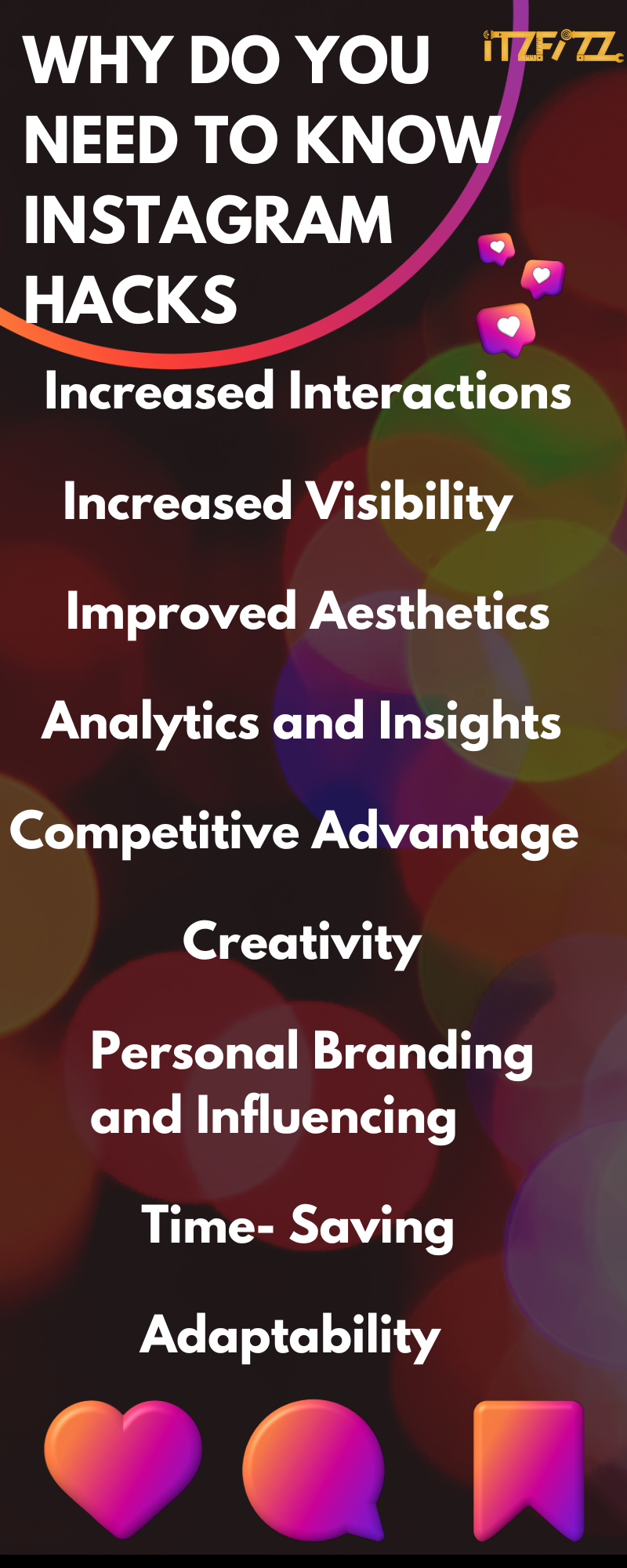
Anyone who uses Instagram, whether for profit or pleasure, can benefit much from learning its “hacks”. You may find it useful to explore Instagram hacks for the following reasons:
Increased Interactions: If you want more people to interact with your Instagram pictures, one trick is to use “hacks.” You can increase your account’s popularity by learning how to strategically use hashtags, post interesting content, and make advantage of engaging features like animated stickers.
Increased Visibility: Instagram hacks can increase your exposure on the network. Using hashtags correctly increases the likelihood that visitors searching for material like yours will come across your posts and follow you.
Improved Aesthetics: You can show your content in a more aesthetically appealing manner if you learn photo editing secrets and gain access to hidden filters. If you regularly share photos that others find interesting, they are more likely to follow your feed.
Analytics and Insights: Using Instagram hacks can help you better understand your audience and how they interact with your content. If you want to improve your content strategy, tracking followers and analysing hashtag performance can help.
Competitive Advantage: Knowing and using tricks that your competitors don’t know about can offer you an edge in the marketplace and help you establish yourself as an industry leader.
Creativity: Instagram tricks provide you with new methods to show your personality and have some fun with your posts. You can express yourself creatively and meaningfully with hacks like glowing emojis and rainbow text.
Personal Branding and Influencing: Knowing these tricks is especially important if you plan to use Instagram for personal branding or as an influencer. They’re useful for creating a recognisable brand identity and attracting new partners.
Time-Saving: Some Instagram hacks can streamline your content creation process, making it more efficient and saving you time. For example, using line breaks in captions can make them more visually appealing without spending too much time on formatting.
Adaptability: Instagram is constantly evolving, and new features and updates are regularly introduced. Knowing Instagram hacks demonstrates your adaptability and willingness to stay up-to-date with the latest trends and functionalities.
Top 10 Instagram Hacks You Should Know
Adding Animated Stickers
Animated stickers are a great way to spice up your Instagram stories and engage your audience.
Animated stickers make your stories more interesting and fun to watch, whether it’s a moving GIF, a cute tiny figure, or a bouncing heart. They give your work an air of humour and fun that can win over any audience.
The best thing is that Instagram has a ton of animated stickers for you to pick from in a variety of categories to fit your every need and emotion. For example fransolo.
How to do:
The usage of these stickers is similarly simple.
Step 1: The sticker symbol for your Instagram Story is located in the upper right corner; tap it to access it.
Step 2: Type “Fransolo” on the search bar and add the sticker to any picture of food or beverages to make your story come alive. The sticker can be resized, moved, and placed wherever on your Story you choose.
2) Rainbow Text Effect
This magical hack will allow you to turn your boring text into an explosion of colours, giving your stories a whole new level of visual appeal.
Here’s how you can add these to your story:
Step 1: Launch the Instagram app and tap on your profile picture or swipe right to access the stories camera.
Step 2: Type out the text you want to display on your Story. It can be a catchy caption, an inspiring quote, or anything that suits your Story’s theme.
Step 3: Once you’ve written your text, highlight and select the entire text by long-pressing on it. The text should now be highlighted or surrounded by a coloured box.
Step 4: Click on the colour palette.
Step 5: Here comes the fun part! With the text selected, use your other hand to slide the colour picker slowly across the highlighted text while keeping the text selected. As you slide, you’ll see the text magically change colours, creating that delightful rainbow effect!
Use this trick to increase your story engagement!
3) Making Edits to Posted Reels
Instagram allows you to make quick edits to your posted reels without having to delete and repost them.
By making edits to your posted reels, you can correct any mistakes, refine your content, or add new elements without the need to create an entirely new video. This time-saving hack ensures that your feed remains dynamic and engaging, while also allowing you to respond to feedback or trends quickly.
Here’s how you can do it:
Step 1: Go to your profile and locate the reel you want to edit. Tap on the reel to open and view it in full screen.
Step 2: Once your reel is open, tap on the three dots (. . . ) This will bring up a menu with various options.
Step 3: From the menu, click delete and then move to drafts.
Step 4: Now click the edit option and you will notice that the previous content is conserved as it is.
Step 5: Make the necessary changes and click on the arrow button on the right. Click on share and voila, your updated reel is posted!
So, next time you spot an opportunity to improve your reel or want to keep your content up-to-date, don’t hesitate to use the “Edit Reel” feature and keep your audience hooked with fresh and captivating content!
4) Changing the colour of the location tags
The standard black, white, grey, and multicolour location tags on Instagram can become monotonous, and they might not always match the aesthetic or vibe of your post. But fear not, there’s a fantastic hack that can add a refreshing twist to your location tags – customising their colours!
Here’s how you can change the colour of your location tags on Instagram:
Step 1: Go to your story and type in anything that you want.
Step 2: Search for the location you want to tag, and once you find it, tap on it to add it to your post. Clear the text you had typed before.
Step 3: Once this is done, click on the colour palette and you will see that you’re able to change the colour of the location tag to whatever you want.
Don’t hesitate to try this trick out and amp up your overall visual aesthetic!
5) Glowing Emojis
Adding glowing emojis to your Instagram stories can sprinkle a touch of magic and create a delightful fairy effect that captivates your audience.
Step 1: Choose a photo or record a video that you want to use as the background for your glowing emojis.
Step 2: Using the third text font click on the emoji that you want
Step 3: Click on the fill background option and your story is good to go
6) Greenscreen Filter
If you’re feeling stuck using the same background for all your Instagram Reels and stories, it’s time to level up your content with the incredible Green Screen filter!
The Green Screen filter is a game-changer, allowing you to transport yourself to different virtual backgrounds and give your videos a whole new dimension. Here’s how you can use the Green Screen filter to add some oomph to your reels and stories:
Step 1: To get started, open the Instagram stories camera, and swipe through the available filters until you find the “Green Screen” option. It’s usually located among the various creative filters and effects.
Step 2: Once you’ve selected the Green Screen filter, it’s time to choose your background. You can either use a photo or video from your camera roll or find a suitable background online. The filter itself provides various backgrounds to choose from.
Step 3: Position yourself in front of a plain green background, such as a green wall or a large green sheet. This solid green colour will be replaced with your chosen background during the recording.
With the Green Screen filter, you can now create videos with different backgrounds, giving your content a fresh and dynamic look. Use various backdrops to match the theme of each reel or story and enhance the visual appeal of your Instagram feed.
7) Rewind and Fast Forward Option on Reels
This feature is perfect for exploring longer reels with multiple segments or for revisiting captivating content you want to enjoy again and again. The Rewind and Fast Forward options put you in control of your viewing experience, ensuring you get the most out of the diverse and engaging content that Instagram reels have to offer.
By utilising the Rewind and Fast Forward options, you can swiftly navigate through Reels and find the specific content that piques your interest. No more repetitive watching or frustration trying to locate the part you want to see!
Here’s how you can use this fantastic feature to your advantage:
Step 1: When you come across a reel that catches your eye, look for the white line or progress bar at the bottom of the video. This line indicates the duration of the reel and your viewing progress.
Step 2: To rewind and review the content, simply swipe your finger left on the white line. This action will take you back to the earlier segments of the reel, allowing you to rewatch or catch any details you might have missed.
Step 3: If you want to skip ahead to a specific part of the reel, swipe your finger right on the white line. This action will fast-forward the video, taking you closer to the desired section of the content.
8) Instagram’s Inbuilt Reel Editing Features
Split Tool
This feature is especially handy for reels, where you can sequence the segments to craft a visually appealing and engaging short-form video. Whether you’re sharing a tutorial, travel vlog, or a series of entertaining moments, the Split Tool empowers you to share your content effectively.
Step 1: Record a new video by holding down the record button or import an existing video from your camera roll by swiping it up on the screen.
Step 2: After recording or importing your video, tap on the scissors icon located at the top of the screen. This is the Split Tool, and it will help you divide your video into smaller segments.
Step 3: Move the white vertical marker along the video timeline to the point where you want to split the video. You can add multiple split points to create several segments from a single video.
Step 4: Once you’ve positioned the marker where you want to split the video, tap on “Split” to separate the video into individual clips.
Step 5: After splitting the video, you can now edit each segment individually. Add stickers, text, filters, or any other effects to make your clips more engaging and aligned with your content theme.
Speed Tool
By using the Speed Tool, you can add a fun twist to your videos. Speeding up a video can create a lively and energetic effect, perfect for capturing fast-paced action or exciting moments. On the other hand, slowing down a video can add a dramatic or dreamy ambiance, highlighting the finer details of your content.
Whether you are showcasing a dance routine, sharing a travel adventure, or demonstrating a DIY project, adjusting the speed can significantly impact how your content is perceived.
Here’s how you can access the speed tool:
Step 1: Record a new video by holding down the record button or import an existing video from your camera roll by swiping up on the screen.
Step 2: After recording or importing your video, tap on the speedometer icon located at the top of the screen. This is the Speed Tool, and it will allow you to adjust the speed of your video.
Step 3: Slide the speed slider left to decrease the speed, making your video play in slow motion, or slide it right to increase the speed, creating a fast-forward effect.
Step 4: As you adjust the speed, you can preview how your video will look with the chosen speed setting.
Step 5: After adjusting the speed, you can further edit your video by adding stickers, text, filters, or other effects to enhance the overall visual appeal.
Voice Over tool
The Voice Over Tool is a valuable feature for content creators who want to add a personal touch to their videos, connect with their audience on a deeper level, and provide valuable insights or commentary.
Here’s a step-by-step guide on how to do it:
Step 1: After recording or importing your video, tap on the microphone icon located at the top of the screen. This is the Voice Over Tool, and it will allow you to add your voice to the video.
Step 2: Once you tap the microphone icon, a countdown will begin, signalling when the recording will start. Speak into the device’s microphone to record your voice over the video. You can narrate your content, provide explanations, or share your thoughts.
Instagram also gives you the Text to Speech option for people who don’t want to use their voice in their videos. They provide different voices to choose from as well.
Step 3: After recording your voice over, you can further edit the video by adding stickers, text, filters, or other effects to enhance the overall visual appeal.
9) Film Reel Story Hack
The Film Reel Story hack allows you to create compelling and immersive storytelling experiences that transport your audience to a cinematic world.
By adding film-like filters, transitions, and effects, you’ll give your Instagram stories a unique and artistic touch that will leave a lasting impression on your viewers.
To create the story reel effect, follow these steps:
Step 1: Use a black background on your story and start typing with dashes. Make the dashes vertical and put in on the left.
Step 2: Copy paste the same dashes and put them on the right to make it look like a film reel.
Step 3: Go to your photos and select a photo you have already posted. Adjust the picture in the centre.
Step 4: Repeat the process with the same picture ( place above and below) until you get a film reel.
Step 5: Save the image to your gallery
Step 6: Go to the post you want to show and move it to the left.
Step 7: Add the previously saved picture onto your story and place the post on top of your picture and adjust it.
Step 8: Go to the draw option and make your background fully black
Step 9: Now select a “tap here” sticker and place it on the picture to introduce the new post
10) Broken Text
Creating broken text on your Instagram Story is a creative way to add a unique and eye-catching visual element to your content. Broken text, also known as glitch text, adds a cool and edgy vibe to your stories, making them stand out and captivate your audience.
Here’s how you can create broken text for your Instagram story:
Step 1: Type the word that you want using the first font
Step 2: Now use the second font and type another word with a couple of spaces after and before the letter.
Step 3: Now go to the colour picker and make the background of the text the same as the background of the story and place it in the centre. This will create a broken text effect.
By incorporating broken text into your Instagram stories, you’ll showcase your artistic flair and add a touch of individuality to your content.
Whether it’s a special announcement, a quote, or simply a playful message, the broken text effect will make your stories unforgettable and leave a lasting impression on your audience!
Which Newer Instagram Features Should You Use?
Instagram keeps adding tools, and several newer ones now matter more for reach than any sticker trick. These are worth adding to your routine:
| Feature | What it does | Why it helps |
|---|---|---|
| Trial Reels | Shows a Reel to non-followers first, then lets you share it with everyone or set it to auto-share if it performs well | Test new formats without risking your main feed |
| Edits app | Instagram’s free video editing app for Reels, launched in April 2025, with green screen, cutouts and AI animation tools | Replaces several third-party editing apps |
| Five-hashtag limit | Instagram now caps posts and reels at five hashtags | Pushes you towards specific, relevant tags instead of long lists |
| Keyword-rich captions and alt text | Clear words in your name, captions and alt text tell people and Instagram’s search what a post is about | Search and recommendations now do more of the discovery work than hashtags |
Our guide to Instagram SEO explains how to write captions and profiles that get found, and our short Instagram captions guide has ready-to-use ideas.
What Are the Best Instagram Tips for Businesses?
Instagram has the potential to be an effective tool for businesses to reach their target market, increase brand recognition, and boost revenue. In order to get the most of their Instagram profile, businesses should follow these guidelines:
Optimise your profile: Create an engaging bio that reflects your brand’s objective and incorporates relevant keywords for search engine optimisation, and utilise those in your username and profile image for your business profile.
Consistent Branding: Always use the same visual identity and branding across your content. Wisely use the various colours in branding and ensure that it remains consistent across all devices.
Engaging Content: Share high-quality, visually appealing content that resonates with your target audience. Use a mix of photos, videos, and stories to keep your feed dynamic and engaging.
Know Your Audience: Understand your target audience’s preferences, interests, and pain points. Tailor your content to address their needs and desires, making them feel connected to your brand.
Utilise Instagram Stories: Stories are a great way to share behind-the-scenes content, product launches, special offers, and interactive polls. Take advantage of features like the link sticker to drive website traffic.
Hashtag strategy: Use up to five relevant hashtags (Instagram’s current limit) to increase the visibility of your posts. Create branded hashtags to encourage user-generated content and foster a sense of community.
Engage with followers: Respond to comments, direct messages, and mentions promptly. Engage with your audience by asking questions, running contests, and encouraging them to tag their friends.
Use Instagram Shopping: If you have an e-commerce store, enable Instagram Shopping to tag products in your posts and stories. This allows users to shop directly from your feed.
Post at Optimal Times: Analyse your Instagram Insights to identify when your audience is most active. Post at these optimal times to maximise engagement.
Collaborate with Influencers: Partner with influencers relevant to your industry to reach a broader audience and build credibility.
Track Performance: Monitor your Instagram Insights regularly to track the performance of your content, identify what resonates with your audience, and adjust your strategy accordingly.
Run Instagram Ads: Consider investing in Instagram ads to expand your reach and target specific demographics or interests. If running the account takes more time than you have, professional Instagram management can take it off your plate.
Monitor Competitors: Keep an eye on your competitors’ Instagram accounts to gain insights into their strategies and identify opportunities for improvement.
Incorporate User-Generated Content (UGC): Showcase UGC from your customers and followers to build trust and authenticity. Repost their content (with permission) and give credit, making them feel appreciated.
Read our blog Ultimate Guide to Social Media Marketing to learn more about how to engage your audience and grow your business online.
Conclusion
In conclusion, Instagram is undeniably a captivating and visually stunning platform, and with these incredible hacks and features, your experience on the app can reach new heights! By incorporating these tricks, you’ll not only have more fun and creative freedom on Instagram but also unlock valuable tools to bolster your brand’s presence.
These Instagram hacks offer much more than just fun and entertainment; they empower you to engage with your audience effectively, build your brand’s identity, and leave a lasting impression on your followers.
If you need help with creating a presence on social media, you can definitely reach out to us at Itzfizz Digital. We are a social media marketing agency that is not afraid to try new things and deliver high-quality results at affordable prices. You can be assured that we know all the Instagram hacks to make your business grow!