



E-commerce SEO is the process of getting your online store’s category and product pages to rank in Google’s organic results, so shoppers find you without you paying for every click. It covers buying-intent keyword research, on-page optimisation of product and category pages, a clean site structure, fast mobile pages, product structured data and links from trusted sites.
The prize is large. Forbes Advisor, citing EMARKETER, puts global e-commerce sales at $5.8 trillion in 2023 and forecasts more than $7.9 trillion by 2027. If more people find your store online, you have a greater chance of increasing sales and profits.
If you want your business to succeed in today’s competitive digital market, you need a robust, user-friendly e-commerce website. The overall value of online sales has surged alongside the rise of e-commerce around the world, giving companies the chance to reach new audiences, attract more customers, and boost their bottom line.
Want to learn the fundamentals of e-commerce SEO and gain an advantage over the competition while propelling long-term growth in the dynamic digital marketing space? Take a look at our step-by-step guide on e-commerce SEO. Let’s dive in!
Key takeaways
- E-commerce SEO helps your category and product pages rank in Google's organic results, so shoppers find you without paying for every click.
- Start with buying-intent keyword research, then optimise titles, descriptions, URLs and images on category and product pages.
- Filter URLs, duplicate products and copied manufacturer descriptions are common technical problems in online stores.
- Product structured data can help Google show price, availability and ratings in search results.
- Google retired its Mobile-Friendly Test, so check mobile speed with PageSpeed Insights and Core Web Vitals (LCP, INP and CLS).
- Forbes Advisor, citing EMARKETER, forecasts global e-commerce sales of more than $7.9 trillion by 2027.
What Is E-commerce SEO?
E-commerce SEO, or “e-commerce search engine optimisation,” is the process of enhancing the discoverability and search engine rankings of an online shop’s domain and individual product pages.
Let’s say you have a successful fashion website where you sell the latest trendy apparel. You obviously want people to see your store’s website first when they do an internet search for “trendy clothes” or a similar term. Why? Simply because more people seeing your online store is equal to more people buying from there.
Why Is SEO Important for E-commerce?
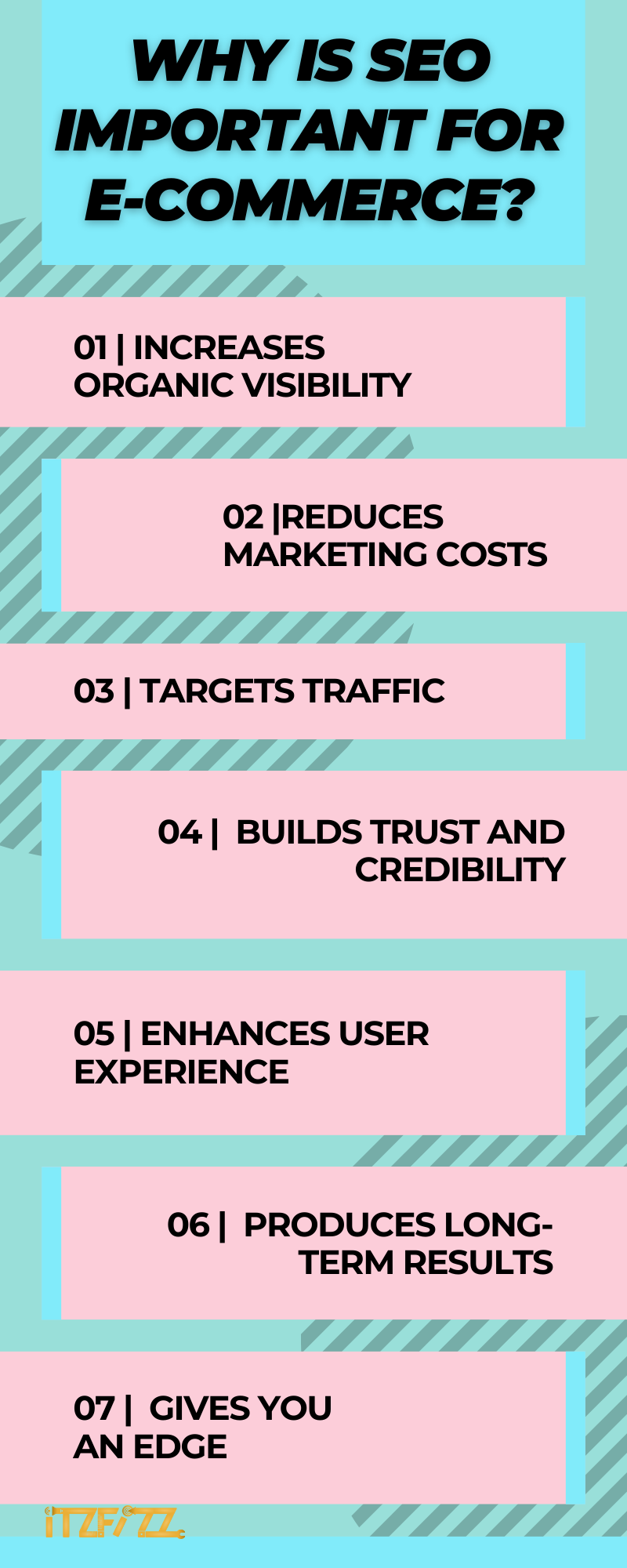
When it comes to running a successful online store, search engine optimisation (SEO) is crucial. In today’s digital world, where clients frequently use search engines like Google to find products and solutions, it is essential to have a prominent online profile.
Consider this. How do you typically go about finding what you need? You probably use a search engine and only look at the first page of the results. The same is true in the case of your prospective clients. If your online shop doesn’t come up when people conduct a search for things that you sell, you’re losing out on free, targeted traffic.
Here is how search engine optimisation comes in handy. Improving your online store’s performance with optimisation can:
i) Increase Organic Visibility: More people find out about your business through natural means.
ii) Target Traffic: Search engine optimisation (SEO) lets you zero in on certain keywords and phrases that customers might use to find your goods and services. When you achieve a high page rank for these terms, you receive visits from people who are specifically interested in what you have to offer.
iii) Reduce Marketing Costs: Search engine optimisation (SEO) can be a more economical marketing method for online stores than paid advertising. Improving your organic rankings takes time and effort, but in the long run, it can pay off with a flood of free, high-quality visitors.
iv) Build Trust and Credibility: Having a high Google page rank is a sign of reliability and trustworthiness. Customers will have more faith in your online store if it comes up high in search results. Customers may feel more comfortable making a purchase from your shop as a result of this.
v) Enhance User Experience: Search engine optimisation, or SEO, entails tweaking many aspects of your website to improve its performance. These changes not only improve your site’s readability to search engines but also make it more enjoyable for visitors.
vi) Produce Long-term Results: While the results of paid advertising typically plateau once the allocated funds have been depleted, the results of SEO work tend to compound over time. Long-term success in search engine rankings is achievable through constant optimisation and responsiveness to algorithm updates.
vii) Give You An Edge: SEO can provide you an edge over the competition in the cutthroat world of online business. If you can outrank your competitors in search engine results, you can steal clients away from them.
How Do You Do E-commerce SEO? An 8-Step Guide
In this detailed guide, you’ll learn all you need to know to make search engines love your online shop. The tactics outlined here will help you boost organic website traffic, draw in more leads, and ultimately increase sales. Let’s just jump right in!
Step 1: Keyword Research
E-commerce search engine optimisation relies heavily on keyword research. Let’s go into more detail about this procedure:
i) Brainstorm Relevant Topics: First, consider what kinds of things people would be searching for on your e-commerce site, and write out a list of those things. Consider the services you provide and the market you serve. Think about the different characteristics, features, and perks that your customers might look for in a product.
ii) Use Keyword Research Tools: Google’s Keyword Planner, SEMrush, and Ahrefs are just a few of the keyword research tools you can use to find relevant search terms for your content. You can learn about search volume, competition, and related terms with the help of these tools. You can use your seed phrases or subjects to build a list of related search terms.

iii) Long-Tail Keywords: Don’t limit yourself to highly competitive, high-volume keywords. Long-tail keywords are longer, highly specific phrases, often three words or more, that each get less search volume. Searches for more specialised items or solutions frequently indicate a greater propensity to buy.
iv) Consider User Intent: Consider the motivations behind various search terms. Do they want details, to make comparisons, or to buy immediately? Research keywords with user intent in mind. Users who type “ best hair straightener” could be looking just to gain information whereas a user who types “ best hair straightener online” may be looking with the intent to buy it.
v) Analyse Keyword Difficulty: Many keyword analysis programmes rate the difficulty of a keyword or show how competitive it is. It’s important to strike a balance between search traffic and competition when selecting keywords to optimise for.
vi) Consider Localised Keywords: If you have a physical storefront or are aiming your marketing in a specific region, it is important to use locally relevant keywords. Our local SEO guide explains how.
vii) Monitor and Refine: Keeping an eye on and honing your keyword research strategy is essential. Track the success of your chosen keywords, study how people interact with your site, and adjust your tactics as needed.
Step 2: On-Page Optimisation
On-page optimisation is crucial for e-commerce SEO. Here are a few ways you can optimise your on-page elements (our on-page SEO checklist goes further):
i) Keyword Placement: Use keywords appropriately throughout the page’s content. The names, headers, subheadings, and meta tags of your products should all be optimised using your target keywords. But don’t overuse keywords; instead, make sure your writing flows well and helps your readers.
ii) Compelling Product Descriptions: Write compelling product descriptions for each and every item sold in your online shop. Draw attention to the most important details, advantages, and selling aspects. Make use of enticing words to draw in clients and set your products out from the competition. Use the appropriate keywords in a fluid and natural way.

iii) Clear URLs: Create URLs that are easy to remember and fully describe the content being advertised.
Instead of using meaningless strings of characters, go for phrases that describe the situation. Instead of “examplestore.com/product12345,” you can use “examplestore.com/red-womens-running-shoes.”
This not only enhances the user experience but also the crawlability of your site for search engines.
iv) Optimise Product Images: Files should have meaningful names that incorporate appropriate keywords. If you want your website to load faster, compressing your photos is a must. To further help search engines interpret your photos, use alt tags to include descriptive text.
v) User-friendly Structure: Organise your products into logical groups and make navigating simple. Implement search capabilities and filtering choices to help users quickly discover what they need. Websites that are well-structured provide a better user experience and are easier for search engines to crawl and index.
vi) Internal Linking: Connect relevant product sites and furnish users with more data by utilising internal linking. Improve your website’s crawlability and the search engines’ ability to recognise the relationships between your content by linking to relevant sites.
vii) Rich Snippets: Implement structured data markup, such as schema.org, to give search engines more information about your products in the form of “rich snippets.” Search engine results may then feature “rich snippets” that include features like a product’s price, availability, and user ratings and reviews. Google’s Product structured data documentation explains which fields to add for product snippets and merchant listings.
viii) Page Load Speed: Improve the user experience by reducing the time it takes for pages to load on your website. To decrease loading times, you should compress pictures, minify CSS and JavaScript, take advantage of the browser cache, and choose a reputable hosting service.
Step 3: Site Structure and Navigation
Search engines and human visitors who visit your site will appreciate your efforts to enhance your site’s structure and navigation:
Logical categorisation: Categorise your products sensibly by grouping similar items together. Name your files something simple and informative that will make sense to both users and search engines.

Intuitive Menu Design: Create an easily accessible and user-friendly menu that stands out on your website for optimal use. Menu items should have descriptive names, and drop-down menus should be used to offer granular selections. Maintain a uniform menu structure throughout your site to avoid frustrating users.

Breadcrumb Navigation: Make use of breadcrumb navigation to aid users in tracing their steps through your site’s structure. Breadcrumbs are a visual representation of the site’s hierarchy that shows the visitor how they arrived at the current page from the homepage.

Search Functionality: Position a search bar prominently on your site to help customers find the products or information they need. Build a search engine that is fast, reliable, and returns relevant results. The search experience might be improved by implementing features like auto-suggestions and filters.

HTML Sitemaps: Have a well-organised list of your site’s pages available in a sitemap written in HTML. This improves your content’s chances of being found and indexed by search engines.
Mobile-Friendly Design: Make sure the layout and navigation of your site work well on mobile devices. As more people use their mobile devices to purchase online, it’s important to ensure a consistent and user-friendly experience regardless of the device used.
Step 4: Mobile Optimisation
Make sure your online shop is mobile-friendly. Make sure the layout of your website is responsive so that it looks great on any device. Ensure all media files are optimised for mobile devices so they load quickly. Google has retired its old Mobile-Friendly Test, so use PageSpeed Insights or Lighthouse in Chrome to see how your site performs on mobile devices and to fix any problems with mobile optimisation.
Step 5: Site Speed Optimisation
When it comes to search engine optimisation for online shops, site speed optimisation is crucial because it affects both the user experience and the store’s overall performance. A website that loads quickly allows customers to easily view products, navigate between categories, and make purchases without waiting around.
Google’s ranking systems also look at page experience, and its Core Web Vitals measure loading (LCP), responsiveness (INP) and visual stability (CLS). Speed alone won’t lift a weak page above a more relevant one, but a fast, stable store keeps more shoppers browsing, and better visibility brings more organic traffic, clicks and potential buyers.
Some ways in which you can optimise your site speed are:
- Compress and resize images without sacrificing quality.
- Reduce CSS and JavaScript files by removing whitespace, comments, and extra line breaks.
- Permit users’ browsers to temporarily cache static content.
- Put your website’s content on servers located closer to your visitors by using a CDN.
- Minimise HTTP requests by combining CSS and JavaScript files where sensible, lazy-loading images below the fold, and turning off unused plugins and scripts.
- Compress the files on your website before sending them to the user’s browser by enabling Gzip or Brotli compression.
- Use cache methods, fine-tune your server settings, and, if necessary, consider switching to a higher hosting plan.
- Keep the number of redirects to a minimum, as these lengthen load times and increase the number of HTTP requests.
Step 6: High-Quality Content Creation
E-commerce search engine optimisation relies heavily on the creation of high-quality content for a variety of reasons.
First of all, consumers are better able to make educated purchases after reading detailed and well-written product descriptions, blog posts, and guides. In order to gain your audience’s trust, you need to establish yourself as an authority in your field by providing them with informative and interesting material.
The higher the quality of your content, the more visitors you’ll get from search engines, and the lower your bounce rate will be. Search engines also give greater ranks to information that is both relevant and useful. Consistently producing high-quality content can boost the discoverability of your e-commerce site, attract qualified visitors, and boost sales.
Step 7: Building Backlinks
Your online store’s exposure and credibility in search results will increase when other high-quality websites link to it. In addition to raising your site’s organic search engine rankings, backlinks help your pages get found and indexed.
Increasing the likelihood of gaining targeted visitors, growing your internet visibility, and eventually driving more conversions and sales for your e-commerce store can be achieved through the strategic construction of high-quality and relevant backlinks.
You can build your backlinks effectively by following these tips:
- Content marketing
- Outreach and guest posting
- Partnering with influencers and bloggers
- Broken link building
- Social media engagement
Step 8: Social Media Engagement
E-commerce search engine optimisation benefits from social media marketing for a number of reasons. A company’s visibility, reach, and ability to convert new followers into paying customers all increase when it actively participates in social media.
Likes and shares don’t directly raise your Google rankings, but they put your products in front of people who may search for your brand, link to your pages and buy. You can also use social media to spread the word about your products and attract new customers to your online store by means of referral links. Our social media marketing guide covers how to build that audience.
You can improve your online standing, build your brand’s authority, and attract more readers and potential customers by cultivating an active social media presence and encouraging user participation.
Which Technical Issues Hold Online Stores Back?
Many stores lose rankings to a handful of technical problems that new content alone can’t fix. Large catalogues create thousands of near-identical URLs, and Google’s guide to managing faceted navigation warns that filter URLs can create an almost infinite URL space that wastes crawling. Check these issues first:
| Issue | Why it hurts | How to fix it |
|---|---|---|
| Filter and sort URLs (faceted navigation) | Crawlers spend time on endless filtered pages instead of your new products | Block unneeded filter parameters in robots.txt, keep filter order consistent and return a 404 for empty combinations |
| Duplicate product pages | The same item reachable through several categories or colour variants splits ranking signals | Choose one main URL per product and point variants to it with a canonical tag |
| Copied manufacturer descriptions | Many stores publish the same text, so your page adds nothing new | Write original descriptions with sizes, materials, use cases and answers to real customer questions |
| Missing product structured data | Google has less to work with when showing price, stock or ratings in results | Add Product markup and keep price and availability in sync with the page |
| Out-of-stock and discontinued products | Deleting pages throws away their links and leaves shoppers at dead ends | Keep temporarily unavailable pages live with alternatives, and redirect permanently discontinued items to the closest match |
| Slow category pages | Heavy images and scripts hurt Core Web Vitals and conversions | Compress images, lazy-load content below the fold and remove unused apps or plugins |
If the list looks long, start with crawl and duplication problems, because they affect every page in the catalogue. Our technical SEO guide explains crawling, indexing and canonical tags in more depth.
What Are the Best E-commerce SEO Tools?
You can improve your online shop’s visibility by using the five e-commerce SEO tools listed below.
SEMrush: SEMRush is an all-in-one SEO platform with keyword research, competitor analysis, site audits and rank tracking.
Ahrefs: You can use Ahrefs for a wide variety of tasks related to search engine optimisation(SEO), including keyword exploration, competitor analysis, and link building. It’s a fantastic e-commerce SEO tool that can help you perform an in-depth SEO assessment of your online store in record time.
Moz Pro: The word” Moz” is synonymous with search engine optimisation. When it comes to optimising for your online store, Moz Pro is the tool you should use. It provides features like keyword research, rank tracking,etc. It also has a link explorer to help you analyse and build high quality backlinks.
Google Analytics: Google Analytics is another great e-commerce SEO tool that you should be using. Its current version, Google Analytics 4, shows how many people visit your store, where they come from and what they do there, including purchases.
Google Search Console With Google’s free service, Google Search Console, you can monitor your website’s presence in search results. It shows the search queries that bring shoppers to your store, flags indexing problems and reports Core Web Vitals for your pages.
What Are the Best E-commerce Website Builders?
Here are the 5 best e-commerce website builders that will make creating a website a piece of cake. If none of them fits, a custom build from a web development team is the alternative.
Shopify: Shopify is a widely used and simple to operate e-commerce platform. It has numerous pre-made templates, robust capabilities, and simple connectors. Its user-friendly design means you won’t need any special training to get your online store up and running.
WooCommerce: WooCommerce is a fantastic option if you’d want to sell products on your website and use WordPress as the foundation. It’s an open-source e-commerce plugin that works in tandem with WordPress and may be modified to suit your needs. Our WordPress SEO guide covers the basics of optimising it.
Webflow: When it comes to creating websites, Webflow is revolutionary. It’s a favourite of both designers and developers thanks to its compelling blend of design freedom and robust functionality.
You don’t need to know how to code in order to make a beautiful, unique website using Webflow. Pixel-perfect layouts and animations can be created with the visual editor, and the user-friendly interface makes it simple to manage your content.
Wix: Wix is a flexible website builder with robust e-commerce features. It has a drag-and-drop interface that lets you make beautiful online shops quickly. Wix makes it easy to set up an online store by providing a number of premade themes, gallery integration, and stock management tools.
Squarespace: Squarespace is a popular platform for creating beautiful, modern online stores because of its emphasis on aesthetics. It has attractive themes preloaded with search engine optimisation capabilities and simple applications for handling stock and taking payments. Squarespace makes it simple to open and manage an online shop.
Conclusion
In conclusion, gaining expertise in e-commerce SEO may appear to be a daunting challenge; nevertheless, with the appropriate strategy and constant effort, fantastic outcomes are within reach.
If you’ve been following along, you should now have a much better understanding of how to optimise your website, perform efficient keyword research, refine your site’s structure, quicken your site’s load time, produce high-quality content, garner backlinks, and maximise social media interaction.
The best aspect is that you won’t have to wait years to observe any changes. You can speed up your path to success and enjoy more exposure, organic traffic, and conversions if you implement these ideas and techniques.
Don’t be shy to contact our seasoned SEO staff if you need help along your SEO path. Through our SEO services, we can work with you to make your e-commerce site more visible in search engine results.