



To optimise your website for voice search, answer the questions people speak in full sentences, put a short direct answer near the top of each page, keep your Google Business Profile accurate for “near me” searches, and make the site fast and mobile-friendly. Voice assistants now run on AI models, so clear, well-sourced answers also help you get cited in AI search.
Isn’t it incredible how far we’ve come in the last few decades? It seems like just yesterday that interacting with robot assistants was the stuff of science fiction. And yet, would you believe it? Now, we simply ask Siri or Alexa for suggestions on where to find the best restaurants, malls, or even salons. About one in five internet users worldwide now uses voice search, according to 2024 DataReportal figures compiled by DemandSage. The assistants themselves are changing too: in March 2025 Google began moving mobile users from Google Assistant to Gemini, its generative AI assistant.
Web searches aided by virtual assistants are becoming the norm, thanks to the proliferation of smartphones and smart TVs. And, you know what? It’s far more convenient than manually entering a search. This blog will delve into the world of voice search and discuss how you can enhance your website to take advantage of this rising trend.
Get ready to dive headfirst into voice search, the interface of the future that will put a world of information at your command.
What is Voice Search Optimisation?
Voice search optimisation aims to make your website and its content more receptive to voice-based searches. Simply put, this means optimising your site so that it can respond to voice queries as well as text ones.
When individuals use voice search, they often change how they would usually ask their questions.
Consider how you may type a query into a search engine; maybe something like, “best pasta Bangalore.” When searching by speech, though, you are more likely to ask a natural query like, “What are the best pasta places in Bangalore?” Optimisation for voice searches is necessary in this case. Therefore, optimising for voice search entails learning about and satisfying the specific needs of voice search users.
If you optimise your website for voice search, it will be more likely to show up in results when a user asks their virtual assistant a query.
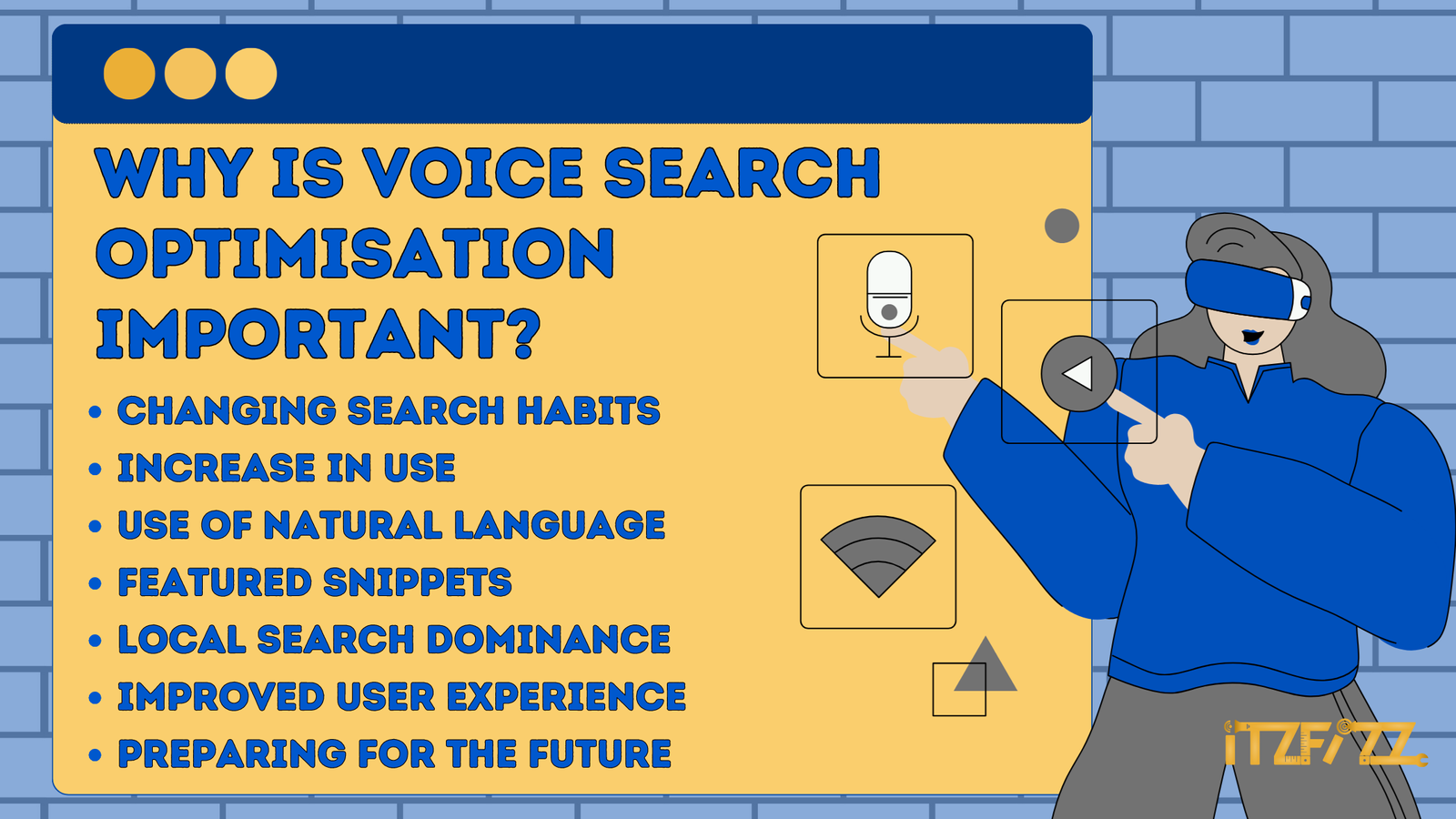
Why is Voice Search Optimisation Important?
Voice search has grown quickly over the past decade, and here are a few reasons why you should consider optimising your website for it:
i) Changing Search Habits: As more people use assistants such as Siri, Alexa and Google’s Gemini, voice has become a normal way to search alongside typing, especially on phones and smart speakers. It’s easy to use, doesn’t need much effort, and yields instant feedback.
ii) Increase in Use: It’s hardly surprising that voice search is becoming more and more popular as more people use it on their smartphones, smart speakers, and other devices. You may gain an edge over the competition and reach a growing audience by optimising for voice search.
iii) Use of Natural Language: In contrast to typing in a string of keywords, users now utilize voice search to ask inquiries in more natural language. If you want your material to perform well in voice searches, you need to adapt it to the kinds of natural language questions users will ask.
iv) Featured Snippets: Voice search often relies on featured snippets provided by search engines to give accurate and concise information. You can increase your chances of being chosen as the voice search result by optimising your material for a featured snippet.
v) Local Search Dominance: Voice searches are often used to find nearby businesses, including restaurants, shops and services. More local customers and foot traffic might be attracted to your store through optimised voice search results on your website.
vi) Improved User Experience: Enhancing the user experience is a primary goal of voice search optimisation. By optimising content for voice searches, it becomes simpler for customers to get the information they need, which boosts satisfaction and engagement.
vii) Preparing for the Future: Voice searches will only increase in popularity as technology advances. You can ensure that your website will be useful in the future by investing in voice search optimisation today.
Key takeaways
- Voice queries are longer and conversational, so target full questions and long-tail phrases.
- Put a short, direct answer under each question heading so assistants and AI answers can quote it.
- A complete, consistent Google Business Profile is the base for spoken "near me" searches.
- Speakable markup is a beta feature for US English news, so most businesses gain more from LocalBusiness and Article schema.
- Google has been replacing Google Assistant with Gemini on phones since 2025, making voice search more conversational.
- Fast, mobile-friendly pages with good Core Web Vitals serve voice searchers who click through.
How Is Voice Search Different From Text Search?
Basis | Voice Search | Text Search |
Interaction | Speak their queries aloud to a virtual assistant | Type their queries into a keyboard |
Query Structure | Longer and more conversational | Short and concise, consisting of few words or phrases |
User Intent | Those who rely on voice search tend to approach it in a more conversational and explanatory manner, looking for both quick and in-depth solutions to their problems. | People who conduct text searches are looking for answers to specific questions. |
Search Results Presentation | The results of a voice search typically consist of either a single-voiced answer or a short clip | Displays a long list of search results to choose from |
Local Search Emphasis | Voice search is often used for local queries | Text search is also used for local queries but does not place the same emphasis as voice search |
Convenience | Offers handsfree experience; enables multitasking | Requires physical interaction with the device |
Contextual Understanding | Uses natural language processing and contextual understanding to effectively comprehend user inquiries. | Asks consumers to hone their searches or select particular terms to get the desired results. |
Which Devices Use Voice Search?
Voice search is already a common feature on a variety of gadgets, completely changing how we engage with technology. Here is how it is used across several gadgets:
i) Smartphones: Almost all modern smartphones have a voice assistant: Siri on iPhone, and Gemini, which is replacing Google Assistant, on most Android phones. Users can ask for directions, suggestions, or responses to their questions by simply speaking to their phones.
ii) Smart Speakers: Speakers such as the Amazon Echo (Alexa), Google Nest speakers and Apple HomePod (Siri) offer voice-activated assistants. By speaking to these smart speakers, users can play music, ask questions, manage smart home appliances, and more.
iii) Wearable Devices: Smartwatches and other wearable gadgets frequently have voice search features. When their hands are full or they’re on the go, voice commands make it easier for users to ask queries, set reminders, or complete fast activities.
iv) Smart TVs and Streaming gadgets: A lot of smart TVs and gadgets also include voice search capabilities. Instead of painstakingly navigating through menus, users can use their voice to browse and play content, change settings, or search for particular TV episodes or movies.
v) Car Infotainment Systems: Voice search is becoming more and more common in automobile infotainment systems. Voice commands can be used by drivers to play music, acquire directions, make hands-free phone calls, and operate different systems of their cars. By requiring less manual input into the car’s interface, it encourages safer driving.
vi) Virtual Assistants on Computers: Voice assistants are also available on desktop and laptop computers, such as Siri on a Mac. Microsoft retired its Cortana app on Windows in 2023, and voice features there now come through AI assistants such as Microsoft Copilot. Without having to type, users can engage these assistants and ask inquiries, run searches, create reminders, or manage their schedules.
How Are AI Assistants Changing Voice Search?
Voice search used to mean an assistant reading out a single featured snippet. Today the big assistants run on generative AI models that hold a conversation, answer follow-up questions and summarise several sources at once. Google has been replacing Google Assistant with Gemini on phones since 2025, and ChatGPT and Gemini both offer spoken conversations in their apps.
That changes what ranking for a voice query means. An AI assistant is more likely to blend an answer from several pages than to read one snippet word for word, so your goal is to be one of the sources it trusts and names. In practice:
- Answer in the first sentence. Put a 30 to 50 word answer straight under each question heading.
- Cover the follow-ups. List the next questions a customer would ask and answer each in its own short section.
- Keep facts consistent everywhere. Your opening hours, prices and address should match on your site, Google Business Profile and directories.
- Show sources and expertise. Named authors, dates and links to evidence make a page easier for AI systems to trust.
- Let crawlers in. Check that robots.txt does not block Googlebot or the search crawlers of the AI assistants you want to appear in.
Our guide to how AI is changing SEO explains the wider shift, and our ChatGPT for SEO guide covers getting cited in ChatGPT search. If you want a team to handle it, see our SEO services.
How Do You Optimise Your Website for Voice Search?
Your website can become more visible and accessible to a huge new audience by being voice search optimised. So let’s get started and look at some useful advice for voice search optimisation for your website.
1) Understand User Intent
To begin, recognise the user’s intention when making voice searches. When utilising voice search, people frequently pose conversational inquiries. Determine the frequent queries and expressions that customers are likely to ask their virtual assistants about your company or sector.
2) Natural language and long-tail keywords
Include long-tail keywords and phrases in your website content. These are more in line with how voice search is used by users to ask questions. Think about the precise questions that your content can answer, and then seamlessly include those answers in your website.
3) Structured Data Markup
Using structured data markup on your website is a good idea. This enables search engines to offer pertinent information as featured snippets in voice search results and helps in their understanding of your material. Structured data can include information about a company’s address, phone number, products, frequently asked questions, and more.
Google also supports speakable structured data, which marks the parts of a page best read aloud by text-to-speech. It is still in beta and only works for English news content for US users with Google Home devices, so most businesses can skip it.

4) Optimising the FAQ page
Make a FAQ (Frequently Asked Questions) page that answers frequently asked questions about your company. Construct the queries and responses in a conversational style, as this is how voice search users typically ask questions. By giving succinct and straightforward responses, you can improve the page for featured snippets. Google no longer shows FAQ rich results in Search, but clear question-and-answer content still gives voice and AI assistants answers they can quote.
5) Page Speed and Mobile Optimisation
Ensure that your website loads quickly and is optimised for mobile devices, using Google’s Core Web Vitals (LCP, INP and CLS) as your benchmark. Voice searches are frequently done on mobile devices, therefore enhancing page performance and mobile optimisation is essential for a satisfying user experience.
How to make a mobile-friendly website?
Responsive design: Implement a responsive web design, which automatically adapts the website’s layout and content to different screen sizes and resolutions.
Mobile-Friendly Layout: Optimise your website’s layout for viewing on mobile devices. Use a simple, uncluttered layout with lots of white space, readable fonts, and buttons and links that are the right size. Make sure the most crucial information is prominently visible and simple to reach on smaller devices.
Focus on Page Speed: Mobile users have shorter attention spans and need websites that load quickly. Reduce the size of your website’s files, use browser caching, and improve the quality of your photos to improve performance. Page loading time can be considerably increased by using content delivery networks (CDNs), compressing files, and removing unused scripts.
Intuitive Navigation: Make it easier for mobile users to navigate your website. Use a simple, accessible menu to make it simple for users to explore your website.
Touch-Friendly Elements: To prevent inadvertent tapping, make sure that buttons, links, and form fields are big enough to be touched with a finger. Avoid placing components too closely together. To improve the mobile user experience, use input fields with the proper auto-correct and auto-fill functionalities.
Optimise Forms: If your website has forms, make sure they are mobile-friendly. Use input fields with the proper input types (such as email or phone number) and, when necessary, enable the auto-capitalization and auto-correction options. Reduce user effort by making the form simpler by only requesting the necessary data.
6) Local SEO
If your company has a physical location, focus on local SEO. Location-specific questions or expressions like “near me” are regularly used in voice searches. Provide accurate location information, claim your business listings on Google Business Profile and other directories, and optimise your website with pertinent local keywords.
7) Voice-Search Friendly Content
Make sure the content is scannable, use clear headers and subheadings, and divide it into shorter paragraphs, as covered in our on-page SEO checklist. Concise and well-organised content typically performs well in voice search results.
8) Optimise for Featured Snippets
Aim to show up as a featured snippet in search results by optimising for them. Virtual assistants frequently read these excerpts aloud in response to voice requests. Create a question-and-answer framework for your material, and then offer brief, to-the-point responses that can be used as snippets.
How to Optimise for Featured Snippets?
Here are some tips for getting your content highlighted in voice search results:
Identify Featured Snippet Opportunities: Conduct keyword research and try searching for “how to” questions, and “what is” questions. You can also learn a lot about potential featured snippet placements with the help of Google Search Console, SEMrush, or Moz.
Create high-quality content: Write in-depth pieces that respond to readers’ questions in a clear and concise manner.
Implement Structured Data Markup: Marking your material with structured data will add context and help search engines better interpret your writing. With the help of Schema.org markup, important definitions, steps, product details, or commonly asked questions can all be highlighted.
Optimise for Featured Snippet Formats: Learn how to adapt your writing to the many featured snippet types, such as paragraphs, lists, tables, and charts. Make sure your material is structured correctly for various mediums.
Focus on High-Volume Queries: Optimise first for popular queries that are likely to result in featured snippets.
Use Header Tags and Subheadings: Header tags (H1, H2, H3, etc.) and subheadings can help you organise your text and draw the reader’s attention to the most important points.
9) User Experience
Websites must be made to be simple to use and conversation-friendly because voice search relies heavily on natural language processing. Make a website that is simple to navigate, has clear calls to action, and offers a seamless user experience.
10) Voice Search Testing
The effectiveness of voice searches on your website should be tested on a regular basis, and relevant analytics data should be analysed. Keep an eye on the voice search queries that bring people to your site and tweak things as needed.
Conclusion
In conclusion, optimising your website for voice search is now part of good SEO. Voice search has altered the way consumers engage with search engines, transitioning from standard typed inquiries to conversational voice commands.
By utilising voice search optimisation tactics, you may boost your website’s exposure, generate more organic traffic, and remain ahead of the competition.
Remember that optimising for voice search is a continuous activity. Follow the most recent developments in voice search, keep an eye on analytics, and change your strategy as needed. You can build a strong online presence, communicate with your target market, and promote lasting engagement by consistently enhancing your website’s voice search.
To satisfy the needs of this expanding user population, optimise your website and embrace the conversational power of voice search. By doing this, you’ll set up your website for success in the voice-driven era and open up fresh possibilities for development and visibility online.